Essay AI Video Workflow
Batch AI Video Generation for E-Commerce Product Catalogs
Successfully scaling product video requires fixing data upstream, not relying on generation alone.
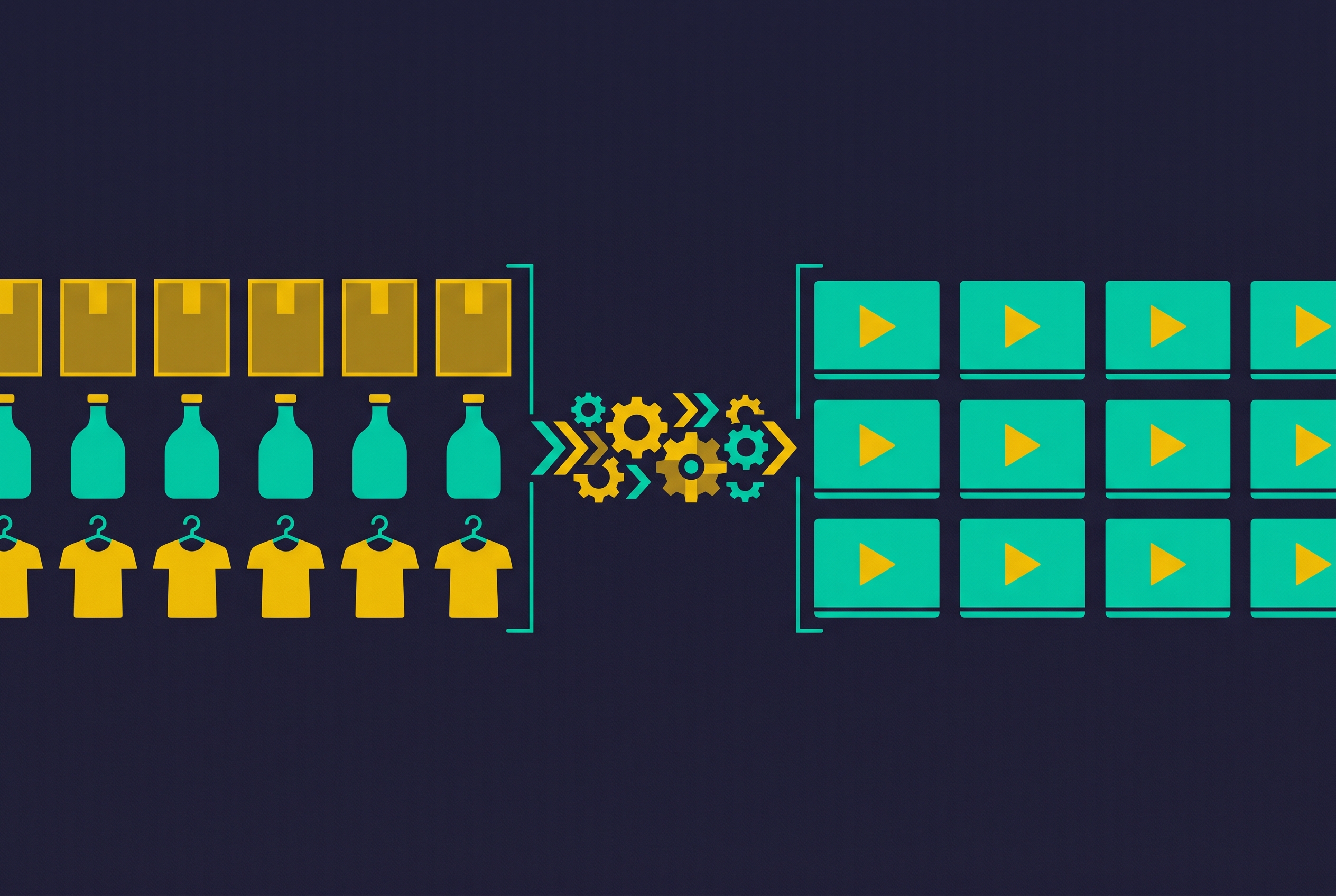
Batch AI video generation for e-commerce product catalogs is a production pipeline. It can turn hundreds of SKUs into platform-ready videos in one workflow, but only when product data, model selection, finishing, and review work together. The teams that scale successfully build that whole chain. The rest produce more footage than they can confidently publish.
Why catalog-scale video production breaks traditional workflows
A brand with hundreds of SKUs needs video versions for different platforms, markets, languages, and aspect ratios, then fresh versions as the catalog changes. Every variation adds work to a manual process that already requires videographers, actors, and editing time. The production queue grows faster than the catalog. That gap between what a team needs to publish and what it can finish is what pushes it toward batch generation, rather than any shortage of ideas for individual product videos.
What a batch AI video pipeline actually consists of, end to end
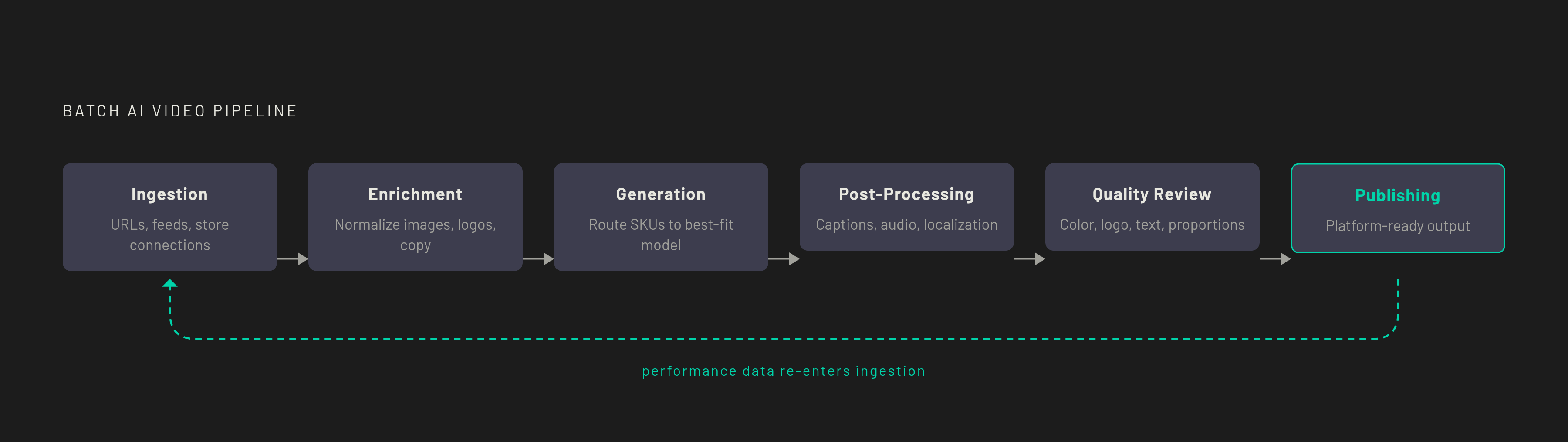
The pipeline starts with ingestion, where product images and information enter the workflow. Enrichment then repairs gaps in those inputs before generation turns them into video assets. Post-processing adds captions, sound, branding, and channel-specific formatting, while quality review checks whether the result accurately represents the product. Publishing makes the approved videos available to customers. Performance feedback then shapes what gets generated in the next batch, so each run builds on the last.
Those stages can succeed or fail independently. A polished edit cannot fix a product image that is wrong, and even a clean render may be unfit for use as a marketplace video. A weakness upstream propagates through the work that follows it, so evaluating only the generation model misses much of the operational risk. The first architectural choice is between template-based flows and custom-skill workflows. Templates favor volume and repeatability with little prompt engineering, while custom skills and API-driven orchestration suit category-specific needs and more complex routing.
Asset ingestion: how product data enters the pipeline
Ingestion usually begins with a product URL, an uploaded feed, or a direct store connection. In a URL-to-video flow, the platform extracts images, descriptions, and key features from the product page, then uses them to construct the script, scenes, voiceover, and video. This removes the need to prepare assets manually. It does not remove dependence on the listing itself, because the platform can extract only what is there.
Direct store integration removes the export-and-upload loop, which is especially useful when product information changes frequently. Feed upload is another way into the same production chain, but none of these methods can fix weak source material on its own. Ingestion amplifies feed quality: thin copy gives the workflow little to say about the product, while low-resolution photography gives the model too little detail to show it clearly. For a team evaluating automation, the question is therefore not just how easily data enters, but whether that data is fit to become the basis of a product claim or moving image.
Feed enrichment before generation, not after
Enrichment is unglamorous, and it is non-negotiable. Low-resolution images, product names that do not match, missing color or dimension fields, and missing logo files can lead to faults built into the rendered video. Once an inaccurate detail is built into the imagery, a reviewer cannot correct it simply by approving a different caption. Text and logos on packaging are especially vulnerable to invented detail when the model cannot read the source clearly.
The practical response is to normalize image resolution, provide high-contrast logo files in vector form where possible, and add structured color and dimension fields before generation begins. Consistent product naming belongs in that preparation too. Problematic categories should also be flagged for human-supervised generation. That flag separates ordinary batch work from products that need closer control before a large run begins.
Fine jewelry, glassware, and polished metal combine precise geometry with reflections that a model cannot faithfully reconstruct from a still image. The resulting divergence is a structural limitation. Enrichment can remove avoidable ambiguity, but it cannot make that limitation disappear.
Generation: routing products to the right model for the job
A mixed catalog needs more than one generation strategy. Models have different strengths across product categories and shot formats, so a model that works well for one group can produce inconsistent results elsewhere. Routing matches each product and shot type to a model that fits, so everything need not go through the same model. AKOOL provides access to Kling 3.0, Wan 2.6, Veo 3.1, Sora 2, Seedance 2.0, and Hailuo 02. That access lets operators compare outputs for the same product before committing to a batch.
The routing can be simple or more coordinated. A “conductor model” architecture uses a central model to enforce color harmony, temporal coherence, and brand styling across collaborating generation models, resolving disagreements against historical performance data. Homogeneous catalogs may not need that level of coordination. Pre-built template flows offer repeatable starting points across categories including tech, fashion, cosmetics, and home goods without requiring operators to engineer each prompt. The distinction is between repeatable work and work that needs category-specific decisions.
Custom-skill pipelines serve the second group. MindStudio, for example, can support a workflow that watches for new Shopify or Airtable products, builds prompts by product category and target channel, dispatches generation to the best-fit model, and adds text overlays and music. Voyager fits the open-architecture lane through its support for built-in or custom skills and connected model options. Its own materials describe a desktop app with memory that learns how users work, and do not describe a dedicated catalog-video service that comes with every stage already in place. Its relevance is workflow flexibility, rather than a claim that one model can handle the entire catalog.
That flexibility has a cost in subscriptions and coordination. Defining routing rules once per product category keeps model choice from becoming a fresh manual decision for every SKU.
The pipeline starts with ingestion, where product images and information enter the workflow.
Post-processing: assembling a publishable video from generated assets
A completed render is not a finished product video. Post-processing first adds the elements that make the clip understandable, including text overlays, captions, and music. Automatic captions improve accessibility and help on social platforms where videos play without sound by default. Hooks, caption emphasis, and intros or outros can also vary by platform and audience familiarity. The workflow should handle those variations so teams do not have to edit each export by hand.
Localization adds a step when the same product is sold in several markets. HeyGen supports translation across 175+ languages with voice cloning so the presenter sounds the same across them. Keevx offers translation and dubbing across 70+ languages with 178 dialect variations and lip-sync. The finished versions still need channel-specific formatting, because Instagram Reels, TikTok, YouTube Shorts, and marketplace listings have different aspect-ratio and duration requirements. Reformatting should happen automatically so teams do not have another queue of exports to work through by hand.
HeyGen’s Brand System pulls logos, fonts, and colors from a store URL and applies them through Templates, AI Studio, and Video Agent, with different controls in each. Synthesia’s Brand Kit applies text styles, color palettes, logos, and avatars to videos. These tools address consistency in the finished presentation. They do not replace the earlier work of giving the generation model an accurate product to depict.
Quality review: the bottleneck that will not be automated away
At high volume, human review becomes the constraint. Even when rendering is faster, checking that a clip shows the right product and meets the requirements for publication takes just as long. Reviewers still need to catch hallucinated logos, product colors that have shifted, proportions that are wrong, and packaging text that is wrong or made up. They must also check for inconsistencies between frames and visual artifacts. With current tools, fully automating that judgment across a catalog risks output that gets the product wrong or breaks policy.
Review should use a checklist-driven gate. Color, logo, text, proportions, and platform specifications should have defined pass requirements, with reviewers trained to focus on those attributes. Broader aesthetic judgment can be deferred or sampled. A review process that asks whether every clip is both faithful and creatively outstanding gives reviewers a much less bounded job.
This is where the feed quality amplifier becomes a warning. Teams that skip enrichment send avoidable defects into the most human-intensive part of the pipeline, where review time grows with the catalog. Clean, normalized source photography and a tight approval gate put teams in a better position to absorb increased generation volume. More output is useful only when review can keep pace.
Publishing and performance feedback: closing the loop on the pipeline
Publishing completes a video, but not the workflow. Live performance shows which hooks, formats, presenters, and calls to action convert, and that feedback belongs in generation decisions about prompts and template choices for the next batch. That connection turns production from a sequence of isolated runs into an iterative process.
A system that retains brand preferences, routing decisions, and historical performance has less to reconstruct when the next catalog cycle begins. Voyager describes memory that learns how users work. That supports its relevance to persistent workflows, but it is not an explicit promise that video quality automatically improves with use.
Batch infrastructure also changes how much a team can test. Instead of producing only a few ad concepts, teams can generate multiple variants of each concept and test them simultaneously. Those results provide more opportunities to refine the next run, with compounding gains from testing and revision provided the feedback reaches the pipeline.
Choosing tools and architecture for your catalog's actual requirements
Tool selection should begin with catalog size, category complexity, platform spread, and tolerance for operational overhead. A homogeneous catalog with consistent photography can often use a template platform with direct store integration at the lowest setup cost. Predis.ai serves Shopify and WooCommerce workflows, while Creatify’s Batch Mode starts from a product URL to generate multiple variations. That is not the same as importing an entire structured product feed. The distinction is important when judging how much manual work remains between the catalog and the batch.
A team focused on campaign deployment has a different requirement. AdStellar AI fits teams that focus on social advertising and need to link the work of making creative to campaign analytics, with fewer handoffs between generation and publication. Across these lanes, the main things to check are API access, template logic, and automated production triggers. Workflows need those capabilities to start on their own, keep doing the same work at volume, and take in new products without someone stepping in each time.
For mixed catalogs with complex routing, an open, custom-skill architecture is the more natural fit. Voyager belongs in that lane for teams that want built-in or custom skills, connected models, and workflow memory. Teams should judge those capabilities by how well they meet the catalog’s routing and review needs, without expecting the platform to win every possible comparison. A team should take on more coordination when the differences between categories call for it. The cheaper-looking single-model route can become the costlier operation when inconsistent output keeps returning to human review.